
Income tax email about an AIS mismatch? What to do next
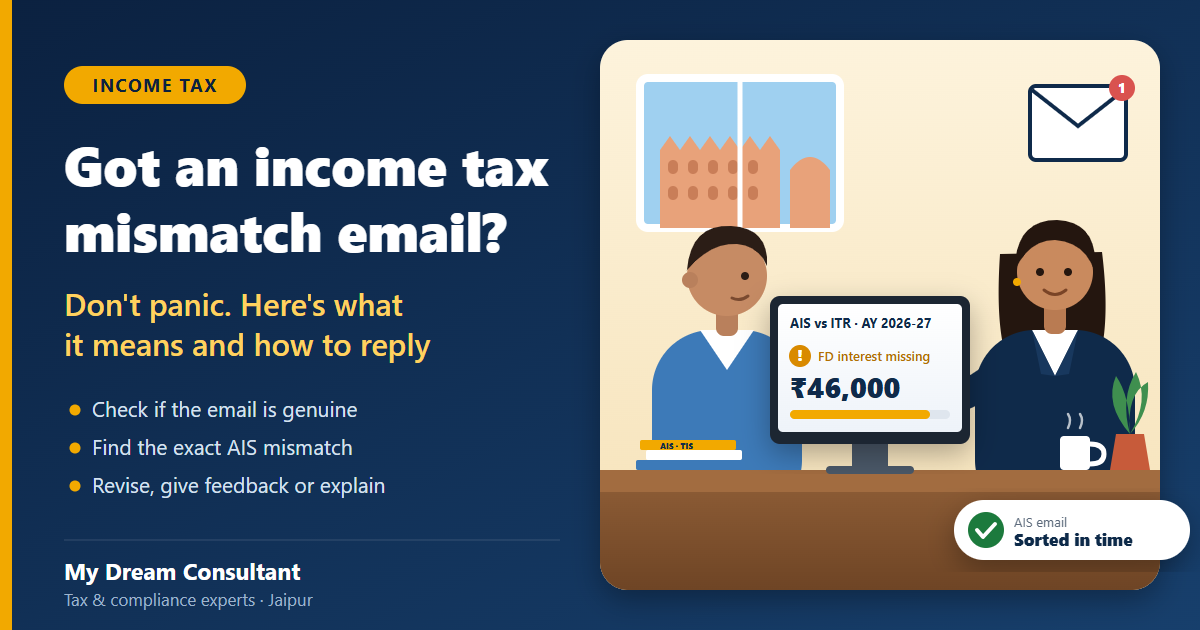
You open your inbox and there it is. An email from the Income Tax Department saying the income in your return "does not match" the information they have. Your heart sinks a little, and the first thought is "Notice aa gaya?"
Take a breath. In most cases this is not a notice at all. It's the department's system saying, politely, "we see something in your AIS that isn't in your return, please check". Handle it properly in the next week or two and it usually ends right there.
Here's how to read the email, find the mismatch, and reply the right way.
What an AIS mismatch email actually means
Your Annual Information Statement (AIS) is the department's record of almost everything financial linked to your PAN: salary, bank interest, dividends, share and mutual fund sales, rent, big cash deposits, property purchases, foreign remittances and more. Banks, employers, registrars and others report this information directly.
When you file your return, the system compares it with your AIS. If something is missing or lower in your return, it can send you an email or SMS asking you to review it. These messages are often called e-campaigns, and many of them say clearly that they are not a notice.
There are really three kinds of messages people get, and they need different handling:
| Message you got | What it is | How urgent |
|---|---|---|
| E-campaign email or SMS ("please review", "mismatch observed") | A reminder to check your return against AIS | Reply within the time given in the email, often 30 days |
| Intimation of proposed adjustment under section 143(1)(a) | The system plans to add an amount to your income | Respond within 30 days of the intimation |
| Notice with a section number and DIN | A formal notice from an officer | Read carefully and reply by the date given; get professional help |
Step 1: Make sure the email is genuine
Scammers copy these emails too. Before you click anything:
- Don't open links or attachments in the email. Go to incometax.gov.in yourself and log in.
- Check Pending Actions on the portal. A genuine campaign or intimation shows up there.
- For a formal notice, use Authenticate notice/order issued by ITD on the portal home page and enter the DIN.
- The department never asks for your card number, OTP or bank PIN by email or SMS.
Step 2: Find exactly what doesn't match
- Log in, open the AIS tab, and download your AIS and the Taxpayer Information Summary (TIS) for FY 2025-26.
- Open your filed return for AY 2026-27 next to it.
- Go line by line: salary, interest, dividends, capital gains, rent, TDS.
In our experience, the mismatch is almost always one of these:
- Savings and FD interest left out. Very common. People assume "TDS already cut, so no need to show it". It still has to be shown as income.
- Small dividends. ₹800 from a few shares you forgot you had.
- Mutual fund or share sales. You redeemed a fund to pay school fees and didn't report the capital gain.
- Interest on income tax refund. Last year's refund came with interest, and that interest is taxable.
- Rent from a second flat paid into your account.
- Somebody else's income on your PAN. For example, your parents' FD wrongly linked to your PAN by the bank.
A typical case: Priya, a teacher in Jaipur (an example, not a real client), filed her return showing salary only. Her AIS showed ₹46,000 of FD interest from a bank where she had renewed an FD in her name. The email asked her to review. Because she was in the 10% slab, the fix took one revised return and about ₹4,800 of extra tax including cess. Ignoring it would have meant the same tax later, plus interest and possibly a penalty.
Step 3: Reply the right way (there are only three answers)
If the AIS is right and you missed it
Admit it on paper and fix it. File a revised return that includes the missed income and pay any extra tax with interest before filing. Then mark your response in the e-campaign as "revised return filed". Sources differ on the last date to revise a return for AY 2026-27, so do it before 31 December 2026 to be safe.
If the AIS is wrong
Don't change your return. Instead, give feedback in AIS on that entry. The options include:
- information is not fully correct (then enter the right amount),
- information relates to other PAN or year,
- information is duplicate,
- information is denied,
- income is not taxable (for some income types).
Your feedback is shown next to the reported value and updates the TIS. Keep the proof (bank letter, statement, Form 16) safely in case anyone asks later.
If it's already in your return, just under a different head
Sometimes nothing is missing. You showed the FD interest, but inside "other income" instead of the line the system expected. In that case, respond on the portal explaining where it appears in your return. Short and factual is best.
Step 4: Respond on the portal, not by email
Replies sent to the email address go nowhere useful. Respond only on the portal:
- Pending Actions → Worklist for e-campaign responses,
- Pending Actions → e-Proceedings for intimations and notices,
- the AIS tab for feedback on entries.
Save the acknowledgement you get after submitting. If you're stuck, the department's helpline for AIS and e-campaigns is 1800 103 4215 (Monday to Friday, 9:30am to 6pm).
What if you miss the revised return window?
You still have a way out, the updated return (ITR-U). It lets you add missed income for an earlier year, but it comes with extra tax of 25% to 70% of the tax and interest due, depending on how late you file, and you can't claim a refund through it. It's a fallback, not a plan. If the mismatch is real, revising now is far cheaper.
Mistakes we see people make
- Ignoring the email because "it says it's not a notice". The mismatch doesn't go away, and a refund can stay stuck because of it.
- Revising the return when the AIS is the thing that's wrong. You end up paying tax on income that isn't yours.
- Clicking links in a fake email and typing bank details.
- Replying without checking every line. You fix one item and miss another, and get a second email.
- Leaving it till the last week of December, when the portal is slow and every CA is fully booked.
What you should do now
- Log in and check Pending Actions for any e-campaign, intimation or notice.
- Download AIS and TIS for FY 2025-26 and compare them with your return.
- Decide: revise the return, give AIS feedback, or explain on the portal.
- If revising, pay the extra tax first and file before 31 December 2026.
- Save every acknowledgement and your proofs.
- Ignore any email that asks for card details, OTPs or a link click.
Frequently asked questions
Is an AIS mismatch email the same as an income tax notice?
Usually not. Most of these emails are part of an e-campaign that asks you to review your return. A formal notice carries a section number and a DIN, and you can check it on the e-filing portal under Authenticate notice/order issued by ITD.
What if the income shown in my AIS is not mine?
Give feedback on that entry in AIS. Choose the option that fits, such as information relates to other PAN or year, information is duplicate, or information is not fully correct. Your feedback updates the Taxpayer Information Summary.
Can I still revise my return for AY 2026-27?
Yes, a revised return can be filed if you missed income or made a wrong claim. Sources differ on the exact last date, so the safe plan is to file it before 31 December 2026.
What happens if I ignore the email?
The mismatch stays on record. Your refund may stay on hold, and the department can later make an adjustment or open proceedings. Fixing it now is almost always cheaper and quicker.
Who can I call about an AIS or e-campaign query?
The department's helpline for AIS, TIS and e-campaign queries is 1800 103 4215, Monday to Friday, 9:30am to 6pm. You can also raise a ticket from the AIS portal under Help.
Got one of these emails? Send it to us
Forward us a screenshot of the email (hide any OTPs) along with your PAN. Our team in Jaipur will match your AIS with your return, tell you which of the three answers applies, and handle the reply or the revised income tax return for you.
Call or WhatsApp +91 88240 45568 (chat on WhatsApp) or email [email protected]. Office: G-2, Ground Floor, Business Center, Dhoodh Mandi, Subhash Nagar, Jaipur 302016 (Mon–Sat 10am–8pm, Sun 10am–2pm).
This article is for general information and is not professional advice. Rules can change; please check your specific case with a qualified professional.